
Digital tools help people work faster, communicate more easily, and stay connected across teams. But those same tools can also become a major source of distraction. Emails, chat notifications, calendar reminders, news alerts, social media, and open browser tabs can pull attention away from important work. Digital Distractions At Work are common because many professionals spend most of their day inside digital systems.
The challenge is that Digital Distractions At Work often look like productivity. Checking email feels responsible. Responding instantly feels helpful. Keeping multiple tabs open feels efficient. But when attention is constantly interrupted, deep work becomes harder. People may feel busy all day while making limited progress on meaningful tasks.
Taking control of Digital Distractions At Work does not mean ignoring communication or disconnecting completely. It means using digital tools with intention. The goal is to stay responsive enough to collaborate while protecting enough focus to complete valuable work.
Understand Where Digital Distractions Start
One of the first steps is noticing where distractions come from. For some people, the biggest distraction is email. For others, it is chat, social media, phone notifications, calendar alerts, or switching between too many tools. A distraction audit can help. For one day, pay attention to what interrupts you most often. Notice whether the interruption was necessary, urgent, or simply habitual.
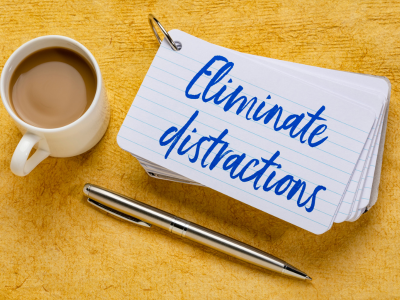 Once you understand your patterns, you can create better boundaries. Digital Distractions At Work become easier to manage when you stop treating every notification like an emergency. Not every message needs an instant response. Teams can still communicate well with reasonable response expectations.
Awareness also helps you separate real communication from reaction habits. Sometimes people check messages because they need information. Other times, they check because they feel anxious about missing something. Knowing the difference is an important part of regaining control.
Manage Email Before It Manages You
Email is a common source of distraction. If your inbox stays open all day, it can become a constant attention trap. Every new message creates a small decision: open it, ignore it, flag it, or respond. Those small decisions add up and make it harder to stay focused on larger tasks.
Instead, try checking email at set times unless your role requires immediate monitoring. Use folders, labels, or flags to organize what needs action. Keep the inbox from becoming your main task list because emails are often other people’s priorities, not always your highest-value work.
Managing email well is one of the most practical ways to reduce Digital Distractions At Work. A cleaner email rhythm allows you to respond thoughtfully without letting incoming messages control the entire day.
Set Healthier Boundaries With Chat Tools
Chat tools can create similar issues. Quick messages are useful, but constant pings can fragment the day. A short question can be helpful, but repeated interruptions can prevent meaningful progress. To manage Digital Distractions At Work, use status settings when you are focusing, mute channels that are not urgent, and respond in batches when possible.
If a topic becomes too complex for chat, move it to a short meeting or a clear written summary instead of letting it stretch across dozens of messages. Chat is best for quick coordination, not endless decision-making.
Teams can also make chat healthier by agreeing on what counts as urgent. If every message is treated as immediate, people never get real focus time. When urgency is defined clearly, employees can stay responsive without being constantly interrupted.
Control Phone Notifications
Your phone is another major source of distraction. Even when a notification is not work-related, it can break concentration. A quick glance at a personal alert can turn into several minutes of scrolling or unrelated thinking.
Consider turning off non-essential notifications during work hours, placing your phone out of immediate reach during focus blocks, or using focus modes. These small adjustments can make it easier to stay present.
Phone boundaries are not about being unreachable. They are about choosing when your attention shifts. Reducing phone interruptions is one of the simplest ways to lower Digital Distractions At Work and make focused work easier.
Reduce Browser And Tab Overload
Browser tabs are another hidden problem. Too many open tabs create visual noise and encourage task switching. A crowded browser can make your mind feel crowded too. If you want to reduce Digital Distractions At Work, close what you are not using. Use bookmarks or reading lists for items you need later. Keep only the tabs needed for the current task.
This applies to documents and apps as well. If you are writing, keep the writing tool open. If you are reviewing data, keep the necessary files visible. The fewer open loops you see, the easier it is to focus.
Digital clutter may seem minor, but it quietly drains attention. A cleaner digital workspace helps reduce the feeling that everything is demanding your attention at once.
Start The Day With Priorities, Not Notifications
Planning your day can reduce digital distraction. When you start without clear priorities, it is easier to drift into email, chat, or low-value browsing. A simple daily plan gives your attention somewhere to go.
Before opening your inbox, choose the most important task or outcome of the day. Review your calendar, identify focus blocks, and decide what needs your best energy. VOC’s blog on How To Reset Your Work Routine Before Fall discusses the value of morning planning, focus blocks, and communication boundaries, which are all useful for managing distractions.
When you begin with priorities, you are less likely to let Digital Distractions At Work decide how your day unfolds.
Use Focus Blocks For Meaningful Work
Another strategy is to create focus blocks. A focus block is a scheduled time for one task or type of work. During that time, reduce notifications, close unrelated tools, and avoid switching tasks. Even short focus blocks can help. You do not need three uninterrupted hours to make progress. A focused 45-minute period can be more valuable than two hours filled with interruptions.
Focus blocks work because they remove decision-making. You already know what you are supposed to be doing during that time. This makes it easier to resist digital noise.
If your role requires frequent communication, keep focus blocks shorter. The point is not to disappear. The point is to create protected space for work that needs attention.
Make Meetings Less Distracting
Digital distractions also increase when meetings are poorly managed. If meetings lack purpose, people often multitask. They check email, answer chats, or work on other tasks while half-listening. This creates lower-quality meetings and more scattered attention.
VOC’s blog on Master Virtual Meetings: Tips For 2025 Success relates to this because stronger virtual meeting habits help reduce unnecessary distraction and improve participation.
To reduce meeting-related distraction, use agendas, invite only necessary participants, and end with clear action items. If people know why they are in the meeting, they are more likely to stay engaged and less likely to multitask.
Create Team Communication Norms
One important part of managing Digital Distractions At Work is communication. Teams should discuss what is urgent, which channels should be used for urgent issues, and what response times are reasonable. Without these norms, employees may feel pressured to monitor everything constantly.
Clear norms reduce anxiety and help people focus without fear of missing something important. They also make communication fairer. Everyone knows when to respond quickly and when a message can wait.
Good norms might include using email for non-urgent updates, chat for quick coordination, project tools for task ownership, and meetings for decisions or complex discussion. When channels have clear purposes, digital work becomes less chaotic.
Protect Work-Life Balance With Digital Boundaries
Digital distractions can also affect work-life balance. When tools follow employees everywhere, work can leak into evenings, weekends, and personal time. Notifications after hours can keep the brain connected to work long after the workday ends.
VOC’s blog on Work-Life Balance Tips For Busy Professionals connects well here because digital boundaries are part of protecting personal energy.
A practical habit is an end-of-day shutdown. Close work apps, review tomorrow’s priorities, and silence non-urgent notifications. Digital boundaries help your mind leave work, even if your devices remain nearby.
Use Tools With Intention
Digital tools are not the enemy. They are necessary for modern work. But without boundaries, they can take over attention and reduce productivity. To manage Digital Distractions At Work, use tools for specific purposes rather than leaving everything open all day.
Make distracting tools less convenient. Log out of social media during work hours. Remove shortcuts from your browser. Turn off autoplay where possible. Use full-screen mode when writing or working on important tasks. These small friction points help reduce automatic behavior.
The goal is not perfect focus. The goal is better control. Even in communication-heavy roles, you can reduce unnecessary interruptions and create more space for meaningful work.
 Build A Sustainable Digital Routine
At the individual level, the best approach is to choose a few habits and repeat them. Start with one focus block per day. Turn off one category of notifications. Check email in windows. Close unused tabs. Create an end-of-day shutdown routine. Over time, these habits make Digital Distractions At Work easier to control.
When professionals use digital tools intentionally, they can communicate well, stay informed, and still protect the focus needed for meaningful work. The strongest digital routine is simple enough to repeat and flexible enough to fit the realities of the workday.
Work Tips And More
Visit VOC Associates to gain comprehensive information on work skills. Whether you’re seeking seasoned professionals’ expertise or valuable insights, our dedicated team is here to assist you.
10 Common FAQs
1. What Are Digital Distractions At Work?
Digital Distractions At Work are interruptions from emails, chats, notifications, websites, apps, and digital tools that pull attention away from important tasks.
2. Why Are Digital Distractions So Common?
They are common because many employees rely on digital tools all day for communication, planning, meetings, and task management.
3. How Can I Reduce Digital Distractions At Work?
Start by turning off non-essential notifications, checking messages in batches, closing unused tabs, and scheduling focus blocks.
4. Is Email A Digital Distraction?
Email can be a distraction when it is checked constantly or used as the main driver of the workday instead of planned priorities.
5. How Do Chat Tools Affect Focus?
Chat tools can interrupt concentration when notifications are constant or when every message is treated as urgent.
6. Can Meetings Become A Digital Distraction?
Yes. Poorly structured virtual meetings can encourage multitasking, which reduces focus and weakens participation.
7. How Can Teams Set Better Digital Communication Norms?
Teams can define urgent channels, expected response times, focus blocks, and when written updates are better than meetings.
8. Should I Turn Off All Notifications?
Not necessarily. Turn off non-essential notifications and keep alerts only for channels or tools that truly require immediate attention.
9. How Do Digital Distractions Affect Work-Life Balance?
They can keep employees mentally connected to work after hours, making it harder to rest and recover.
10. What Is One Simple Habit To Start With?
Start with one daily focus block where notifications are limited and only one important task is open.
Related Posts


Get In Touch
Get in touch with our medical and dental equipment experts. VOC understands this challenge and provides customized planning and transition services to minimize the impact to your team and ensure a successful outcome.
Contact Info



 CALL US TODAY