
In 2026, hybrid work is the new normal, many of global companies embracing a mix of remote and in-office schedules. This shift offers freedom but also new challenges—blurred boundaries, fragmented focus, and the risk of burnout. The secret to thriving isn’t working harder; it’s working smarter. We deliver hybrid work hacks for 2026 that help you master time-blocking, virtual meeting etiquette, and wellness strategies to stay productive, connected, and energized. Whether you’re a manager, freelancer, or team contributor, these practical tips will transform how you navigate the hybrid world.
Why Hybrid Work Requires New Habits in 2026
 Hybrid work boosts flexibility, but without structure, it can lead to exhaustion. Research shows hybrid employees are 15% more productive when routines are optimized, yet 40% report “hybrid fatigue” from constant context-switching. In 2026, AI-powered tools, smarter collaboration platforms, and science-backed wellness practices make it easier to create balance. The goal is simple: design a system that aligns your energy, environment, and tasks for peak performance.
The Real Benefits of Getting Hybrid Right
- Save commute time while preserving human connection
- Protect deep focus at home and foster creativity in-office
- Prevent burnout with built-in recovery
1. Master Time-Blocking to Own Your Day
Time-blocking is the foundation of hybrid productivity. Instead of reacting to notifications, you proactively assign tasks to specific time slots and locations.
How to Build Your 2026 Time-Blocking System
Start by dividing your day into four core blocks: deep work, collaboration, admin tasks, and wellness. Then match each to the best environment.
- For deep work like writing reports or analyzing data, block 90 to 120 minutes at home where distractions are minimal.
- Reserve office time for collaboration—60 to 90 minutes of brainstorming or team syncs.
- Handle admin tasks like emails or expense reports in short 30 to 45 minute remote bursts.
- Always include a 15 to 30 minute wellness break, whether at home or in the office, for a walk, stretch, or quick reset.
Smart Tools to Automate It
- Use AI schedulers like Reclaim.ai or Clockwise to protect focus time automatically.
- Color-code your calendar—blue for remote days, green for office—so you visually reinforce the plan.
- Guard your first 90 minutes of the day for high-priority work. No emails. No Slack. Just progress.
2. Nail Virtual Meeting Etiquette
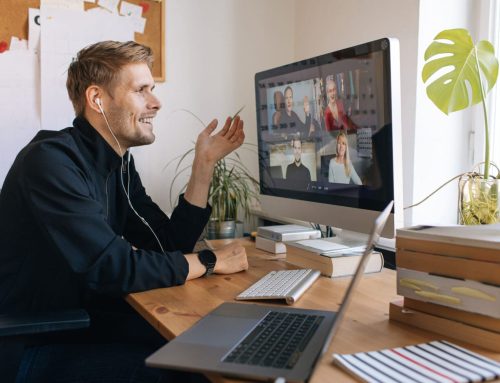
Even in hybrid setups, 60% of interactions remain virtual. Poor meeting habits waste time and drain energy. Great ones build trust and drive results.
The 2026 Virtual Meeting Etiquette Essentials
- Always arrive three minutes early to test tech and show respect.
- Keep your camera on when possible—it helps others read cues and builds connection.
- Mute yourself unless speaking to eliminate background noise.
- Use reactions and chat actively—thumbs-up for agreement, lightbulb for ideas—to keep energy high.
- End every meeting by summarizing action items clearly: “To confirm: Sarah owns the Q1 report by Friday.”
Next-Level Tools
- Zoom AI Companion auto-generates summaries and action items.
- Microsoft Teams Intelligent Recap highlights key moments and speaker contributions.
- Otter.ai provides real-time transcription with searchable notes..
3. Set Up Dual Workstations That Work for You
Your environment shapes your output. A great hybrid setup supports focus at home and flow in the office.
Your Remote (Home) Power Station
- Invest in a fully adjustable ergonomic chair.
- Dual 27-inch 4K monitors for multitasking.
- A noise-canceling headset like the Sony WH-1000XM6.
- AI-powered lighting like Philips Hue that syncs with your circadian rhythm.
Your Office Hot-Desk Survival Kit
- A portable laptop stand.
- External keyboard.
- 15.6-inch USB-C monitor.
- Noise-canceling earbuds.
- A personal wellness pack—reusable water bottle, resistance bands, and blue light glasses.
One Dashboard to Rule Them All
Use Notion or Coda to create a “Hybrid Work OS”—a single hub with your calendar, tasks, meeting notes, and wellness tracker. Access it from any device, anywhere.
4. Follow the 90/30 Rule to Protect Your Energy
Hybrid fatigue often comes from nonstop work. The 90/30 rule—90 minutes of focused effort followed by 30 minutes of active recovery—is backed by 2026 neuroscience.
How to Apply It
- After 90 minutes of deep work, step away.
- Take a walk, do breathwork, stretch, or hydrate.
- This prevents cortisol buildup and keeps dopamine flowing.
Tools That Help
- Focus@Will plays AI-curated music to lock in concentration.
- Stretchly pops up micro-break reminders on your desktop.
- Hydra, a smart water bottle, tracks intake and nudges you to drink.
5. Go Async-First to Cut Meeting Overload
Not every update needs a meeting. Async communication is the hybrid superpower of 2026.
Your Async Toolkit
- Loom for three-minute video updates.
- Post project status in Notion or Slack threads.
- Collaborate visually in Miro with async comments.
- Track issues in Linear with auto-updates.
Async Etiquette That Works
- Default to “respond within 24 hours.”
- Use @here only for true urgency.
- End updates with “No reply needed unless…” to reduce noise.
6. Create a Hybrid Commute Ritual
Smooth transitions prevent mental drag between home and office.
Morning Ritual (Home to Office)
- Take a 10-minute walk or practice transit meditation.
- Review your in-office goals on your phone.
- Arrive, plug in, and do a two-minute stretch.
Evening Ritual (Office to Home)
- Run a shut-down checklist: close tabs, update tasks.
- Write a five-minute gratitude journal.
- Switch your phone to Do Not Disturb until the next work block.
Why It Matters
Rituals tell your brain when to shift gears, reducing decision fatigue.
7. Weave Wellness into Your Day with Micro-Habits
You don’t need hours for self-care. Five-minute micro-habits sustain energy all day.
Daily Micro-Habits
- Spend a few minutes in morning sunlight to regulate your circadian rhythm.
- Practice box breathing—inhale four, hold four, exhale four, hold four—to calm stress in 60 seconds.
8. Let AI Optimize Your Hybrid Week
AI isn’t just for coders—it’s your hybrid co-pilot in 2026.
Top AI Hybrid Assistants
- Reclaim.ai auto-schedules focus time around meetings.
- Clockwise optimizes team calendars for flow.
- Grammarly Tone ensures async messages land right.
- Grok or Claude drafts meeting agendas from bullet points.
Your Weekly AI Routine
- On Sunday, input your goals.
- Let AI generate a time-blocked calendar.
- Review AI-suggested tweaks daily.
- On Friday, get an auto-summary of wins and gaps.
9. Build Real Connection Without Forcing It
Hybrid doesn’t mean lonely. Intentional touchpoints keep teams tight.
Smart Office Days
- Theme your in-office time: Collaboration Tuesday, Mentoring Thursday.
- Host “Focus + Flow” sessions—two hours of silent work, 30 minutes of chat.
- Use “Connection Cards” with icebreaker prompts at team lunches.
Digital Bonding
- Use Donut in Slack for random coffee chats.
- Try Gatheround for virtual team games.
 10. Track, Tweak, and Level Up
What gets measured improves. Build a simple system to monitor your hybrid performance.
Your Hybrid Dashboard
- Track deep work hours (aim for 20 per week).
- Meeting load (under 15 hours).
- Wellness score (self-rated 1 to 10, target 8+).
- Task completion (90%+).
Use RescueTime, calendar audits, or Todoist.
Monthly Review Questions
- What drained me this month?
- What energized me?
- What’s one tweak for next month?
Work Tips I VOC Associates
Visit VOC Associates to gain comprehensive information on work skills. Whether you’re seeking seasoned professionals’ expertise or valuable insights.
10 FAQs for “Hybrid Work Hacks for 2026”
1. What is the best way to structure a hybrid workday in 2026?
Use time-blocking: 90–120 min deep work (remote), 60–90 min collaboration (office), 30–45 min admin (remote), and 15–30 min wellness (either). Match tasks to your energy and environment.
2. How can I reduce meeting fatigue in a hybrid role?
Cap meetings at 3 per day, use AI recaps (Zoom/Teams), and replace sync updates with Loom videos or Notion threads. Async = less fatigue.
3. What’s the 90/30 rule and does it really work?
Work 90 minutes focused, then take 30 minutes of active recovery (walk, stretch, breathe). Backed by 2026 neuroscience—it sustains energy and prevents burnout.
4. Which tools help manage a hybrid schedule in 2026?
Reclaim.ai and Clockwise auto-block focus time. Notion or Coda serves as your “Hybrid Work OS” for tasks, notes, and wellness tracking.
5. How do I stay connected with teammates in hybrid work?
Theme office days (e.g., Collaboration Tuesday), use Donut for random Slack chats, and host “Focus + Flow” sessions—silent work followed by casual talk.
6. What should I pack for office hot-desking in 2026?
Portable laptop stand, external keyboard, 15.6″ USB-C monitor, noise-canceling earbuds, and a wellness kit (water bottle, resistance bands, blue light glasses).
7. How do I transition smoothly between home and office?
Create a commute ritual: morning walk + goal review; evening shut-down checklist + gratitude journal. Signals your brain to switch modes.
8. Are micro-habits effective for hybrid wellness?
Yes. Five-minute habits like sunlight exposure, box breathing, or hydration cues improve focus by 10–15% and reduce stress daily.
9. Should I track my hybrid work performance?
Absolutely. Monitor deep work hours (target 20/week), meeting load (<15 hrs), and wellness score (≥8/10). Review monthly and tweak one habit.
10. Can AI really help with hybrid work in 2026?
Yes. AI tools like Reclaim.ai schedule focus time, Grammarly Tone refines async messages, and Grok/Claude draft agendas—saving hours weekly.
Related Posts



Get In Touch
Get in touch with our medical and dental equipment experts. VOC understands this challenge and provides customized planning and transition services to minimize the impact to your team and ensure a successful outcome.
Contact Info



 CALL US TODAY